
Midjourney’s latest image editor is redefining the way users interact with AI-driven visuals, providing advanced editing tools that now support external images, or images not initially generated by Midjourney itself. This guide provides an overview of the editor’s capabilities, its access requirements, and summaries of its key features, focusing on the benefits for artists, designers, and content creators.
You can access this at the Midjourney website.
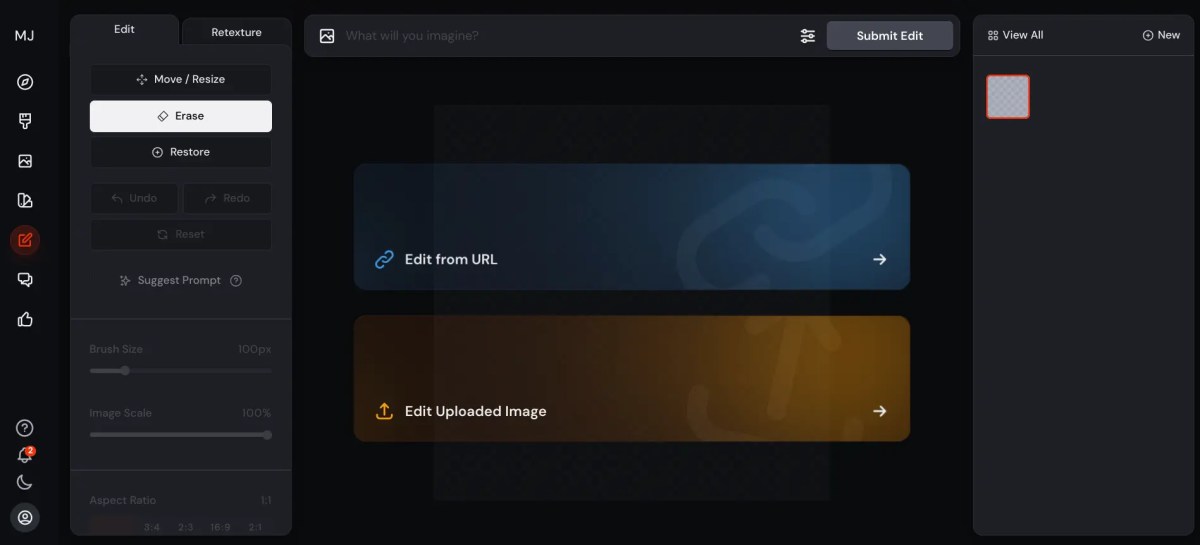
Key Features and Capabilities of Midjourney’s Image Editor
Midjourney’s editor introduces powerful tools to enhance creativity and control over images. Below is an overview of its main features:
- Inpainting, Resizing, and Cropping
- These features allow users to make nuanced adjustments to images, such as resizing and cropping, essential for achieving the perfect composition.
- Inpainting enables users to edit specific areas of an image, making it possible to erase and replace elements seamlessly.
- Retexturing
- Retexturing adds fresh styles, colors, and textures to existing images while maintaining the original structure. For instance, users can transform an image into a “steampunk” theme or add realistic textures like fur to objects.
- Access Requirements
- Currently, access to Midjourney’s new editor is limited to those with either a high volume of generated images (10,000+) or long-term subscribers, such as yearly members or those subscribed for 12 months or more.
Feature Breakdown
Midjourney’s editor provides users with tools that cater to diverse creative needs. Here’s a summary of each tool:
- Crop Tool
- While cropping is available, users must submit a prompt following any crop, as standalone cropping is currently unsupported without re-rendering the image.
- Eraser Tool
- This tool lets users remove unwanted elements and replace them with new items via prompt-based commands, giving creators control over specific areas of an image without needing to start from scratch.
- Retexturing Tool
- Through prompts, users can adjust colors, apply new themes, or integrate unique aesthetics like “steampunk” details. The flexibility to retexture images with textures and themes like patterns or realism opens new avenues for imaginative design.
Practical Applications and Experimental Use Cases
This editor is not only powerful but also versatile, making it ideal for various creative and professional applications. Here are some ways users can leverage it:
- Product Photography
- Although adding logos is possible, current limitations suggest some areas for improvement, as the creator notes issues with positioning.
- Prompt Suggestion Tool
- This AI-assisted feature generates prompt ideas based on the image’s content, streamlining the editing process by offering suggestions tailored to the uploaded image.
- Architectural Edits
- Users can edit textures to turn daytime settings into nighttime scenes or create atmospheric lighting effects, like adding moonlight to a building scene.
- Advanced Styling
- Midjourney’s editor supports elaborate styling choices, such as crafting a latex-themed room or integrating unique illustrative styles.
Challenges and Limitations
Despite the extensive capabilities, certain limitations exist:
- Consistency in Character Features
- Ensuring the same character look across multiple edits can be challenging, especially in creating a seamless visual story with one character over multiple versions.
Conclusion and Future Prospects
Midjourney’s image editor has transformed how creators can modify images, especially with the integration of tools like inpainting, retexturing, and intelligent prompt suggestions. However, feedback from users suggests a need for further refinement in areas like logo placement and character consistency.
For those interested in exploring this tool, it’s a promising addition to Midjourney’s suite.
Subscribe to Oollecode to stay updated with new tutorials and enhancements that further optimise the creative experience.